🚀 Supercharge your YouTube channel's growth with AI.
Try YTGrowAI FreeInitialize Dictionary in Python

You have values to store under keys, and you’re choosing how to create the dictionary that will hold them. A Python dictionary stores values under keys, and you can create one by writing pairs or pairing separate lists of keys and values.
I’ll show you how to initialize a dictionary from known pairs or separate key and value lists, then how to give each key its own list.
TL;DR: Initialize a Python Dictionary
Use a dictionary literal for known pairs, dict() for pair data, and a comprehension when each key needs a newly computed value.
- Start an empty dictionary with empty braces.
- Use zip() when separate iterables contain matching keys and values.
- Use dict.fromkeys() for a shared immutable default, not for separate lists.
settings = {"theme": "dark", "retries": 3}
What Is a Python Dictionary?
A Python dictionary, or dict, holds key-value pairs and is mutable. You can add an entry or replace its value after creation, even if you began with an empty dictionary.
A key must be unique and hashable, which lets Python find its entry consistently. A repeated key updates its value.
| Part | Role |
|---|---|
| Key | Names or identifies an entry |
| Value | Stores the data associated with that key |
| Pair | Connects one key to one value |
For example, a settings dictionary can map the key theme to the value dark. A value may itself be a list or another dictionary, so choose its type to match how the program will use it.
Python’s dict documentation guarantees insertion order from version 3.7 onward. I checked that version history. Updating a value does not move its key.
Use len() to count entries. Items inside a list value do not count as separate dictionary entries.
How to Initialize a Dictionary in Python Step by Step
Choose the initializer from the shape of the data you already have. The examples below run as Python files and show the resulting dictionaries.
Step 1: Use a literal or dict() for known pairs
Write pairs directly inside braces when the keys and values are already known. Each key is followed by a colon and its value. So the dict() constructor is useful when the pairs arrive as keyword arguments or as an iterable of two-item pairs.
empty = {}
settings = {"theme": "dark", "retries": 3}
from_keywords = dict(name="Ada", language="Python")
from_pairs = dict([("mode", "dark"), ("retries", 3)])

print("empty:", empty)
print("literal:", settings)
print("keyword arguments:", from_keywords)
print("pair iterable:", from_pairs)
empty: {}
literal: {'theme': 'dark', 'retries': 3}
keyword arguments: {'name': 'Ada', 'language': 'Python'}
pair iterable: {'mode': 'dark', 'retries': 3}
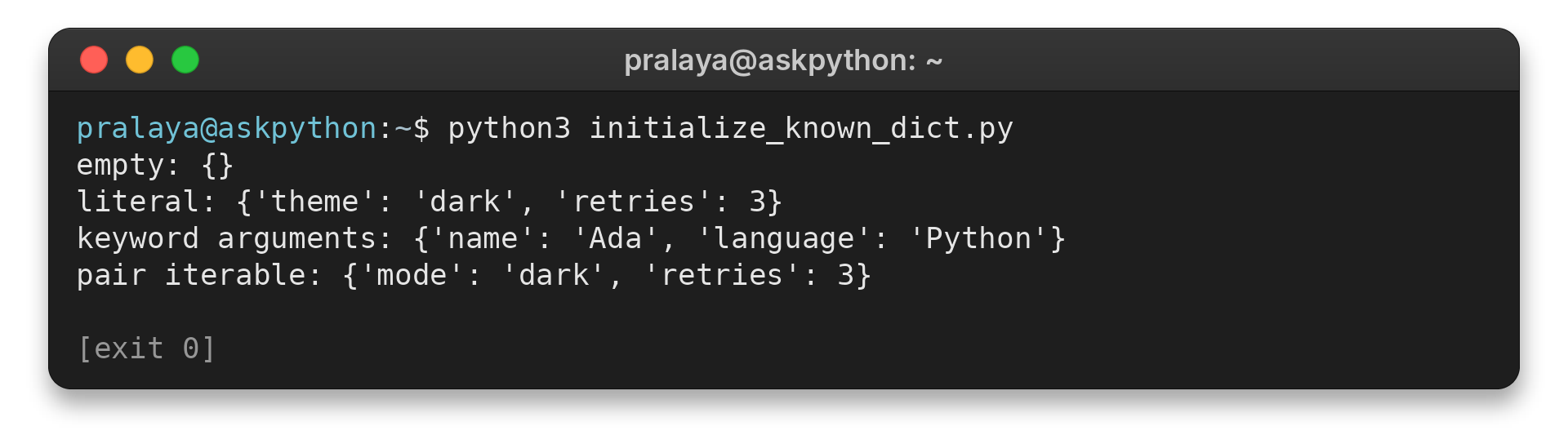
I ran python3 initialize_known_dict.py and got four dictionaries, including an empty one. Keyword arguments require valid identifier names, so use pair data when a key contains a space or is not a string. Both empty braces and dict() create an empty dictionary.
Step 2: Pair parallel iterables with zip()
When one iterable contains keys and another contains their values in the same order, zip() pairs items by position. So pass those pairs to dict().
keys = ["name", "role"]
values = ["Ada", "engineer"]
profile = dict(zip(keys, values))
prices = {item: price for item, price in [("tea", 4), ("coffee", 5)]}

print("from zip():", profile)
print("from comprehension:", prices)
from zip(): {'name': 'Ada', 'role': 'engineer'}
from comprehension: {'tea': 4, 'coffee': 5}
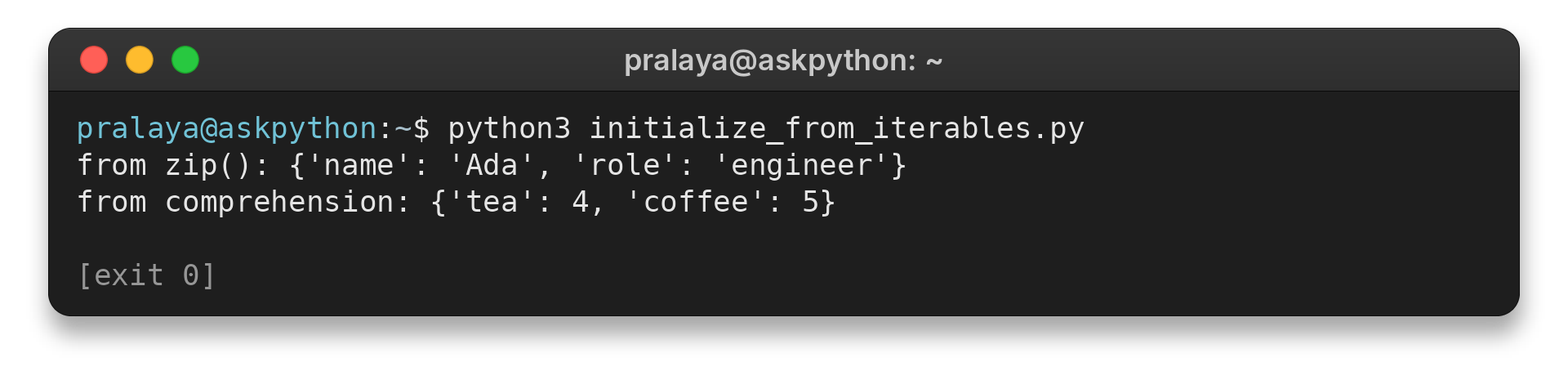
I ran python3 initialize_from_iterables.py. The output pairs each name with its value, while the comprehension creates a price for each item.
Step 3: Create separate mutable defaults with a comprehension
Use dict.fromkeys() when every key should refer to the same immutable default, such as a status string. In practice, a dictionary comprehension gives each key a fresh list.
keys = ["north", "south"]
shared_labels = dict.fromkeys(keys, "pending")
shared_lists = dict.fromkeys(keys, [])
shared_lists["north"].append("item")
independent_lists = {key: [] for key in keys}
independent_lists["north"].append("item")

print("fromkeys with a string:", shared_labels)
print("shared mutable list:", shared_lists)
print("separate lists:", independent_lists)
fromkeys with a string: {'north': 'pending', 'south': 'pending'}
shared mutable list: {'north': ['item'], 'south': ['item']}
separate lists: {'north': ['item'], 'south': []}
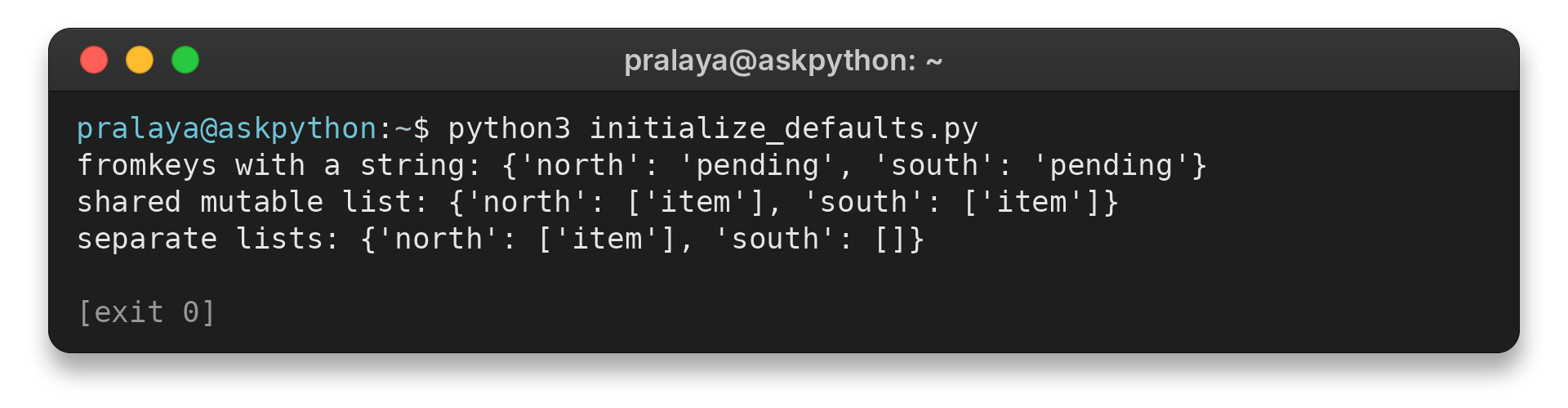
I ran python3 initialize_defaults.py to compare both cases. Adding one item through north changes south too when fromkeys() receives one list, because both keys refer to that same list. Use the comprehension when each key needs independent contents.
Dictionary Initialization Edge Cases
Check what happens when input keys or values repeat, or when a default can be changed. These details affect the dictionary you end up with.
| Case | Behavior | Choice |
|---|---|---|
| Unequal inputs to zip() | Pairing stops when the shorter iterable ends | Check lengths first if every item needs a partner |
| Repeated key | The later value replaces the earlier one | Check for duplicate keys when input order matters |
| List used as a key | Raises TypeError because lists are unhashable | Use a string, number, or suitable tuple |
| Mutable value in fromkeys() | Every key refers to the same object | Use a comprehension for separate lists |
With zip(), unmatched input items disappear. Check both iterable lengths whenever every item needs a partner. Pairing three keys with two values produces only two pairs.
Conclusion: Choose the Input Shape
So choose braces for known pairs, dict() for pair data, zip() for parallel inputs, or a comprehension for calculated or independent values. Each example uses built-in types and needs no third-party package.
For dictionary lookups and updates, read the Python dictionary tutorial. If your source is a pair of lists, see how to convert a list to a dictionary. The Python dict documentation describes the built-in methods.
FAQ
These answers cover two common follow-up questions about starting with keys or creating state for an object.
Can I initialize a dictionary inside __init__?
Yes. Assign a new dictionary to self inside __init__ when each instance needs its own state. This keeps one instance’s changes separate from another’s.
What value does dict.fromkeys() use by default?
It uses None when you omit the value argument. Each key then maps to None. If you pass a mutable object such as a list, all keys refer to that same object.