🚀 Supercharge your YouTube channel's growth with AI.
Try YTGrowAI FreePython Negative Index: How to Use It in Lists

To select an item by its position from the end of a Python list, use negative indexing. It counts from the list’s end, with -1 selecting the final item.
This article shows how to replace a list item with a negative index. It also explains what happens when you try to get an item from an empty list.
TL;DR
Python negative indexing reads a list from its end, so index -1 selects the final item and -2 selects the item before it.
- For an item at distance k from the end, use items[-k].
- Use items[-k:] to take that item and the rest of the list.
- A single-item lookup on an empty list raises IndexError.
What Is Negative Indexing in a Python List?
For a list of length n, items[-k] selects the same position as items[n-k], provided k is from 1 through n.
| Item | Front index | End index |
|---|---|---|
| red | 0 | -4 |
| green | 1 | -3 |
| blue | 2 | -2 |
| gold | 3 | -1 |
Indexing selects a position in a list. For a four-item list, -1 maps to position 3 and -4 maps to position 0.
I ran python3 negative_indexing_demo.py on this four-item list. It printed dates for -1 and cherries for -2, so both end positions are visible in the output.
How to Use Negative List Indexing Step by Step
Use a negative index in square brackets to select one item, then use a slice when you need a range that reaches the end.
Step 1: Example of Negative Indexing
In the fruit list below, -1 selects dates and -2 selects cherries without calculating the list length.
items = ["apples", "bananas", "cherries", "dates"]

print(items[-1])
print(items[-2])

items[-1] = "elderberries"
print(items)

removed = items.pop(-1)
print(removed)
print(items)

items[-2:] = ["figs"]
print(items)
dates
cherries
['apples', 'bananas', 'cherries', 'elderberries']
elderberries
['apples', 'bananas', 'cherries']
['apples', 'figs']
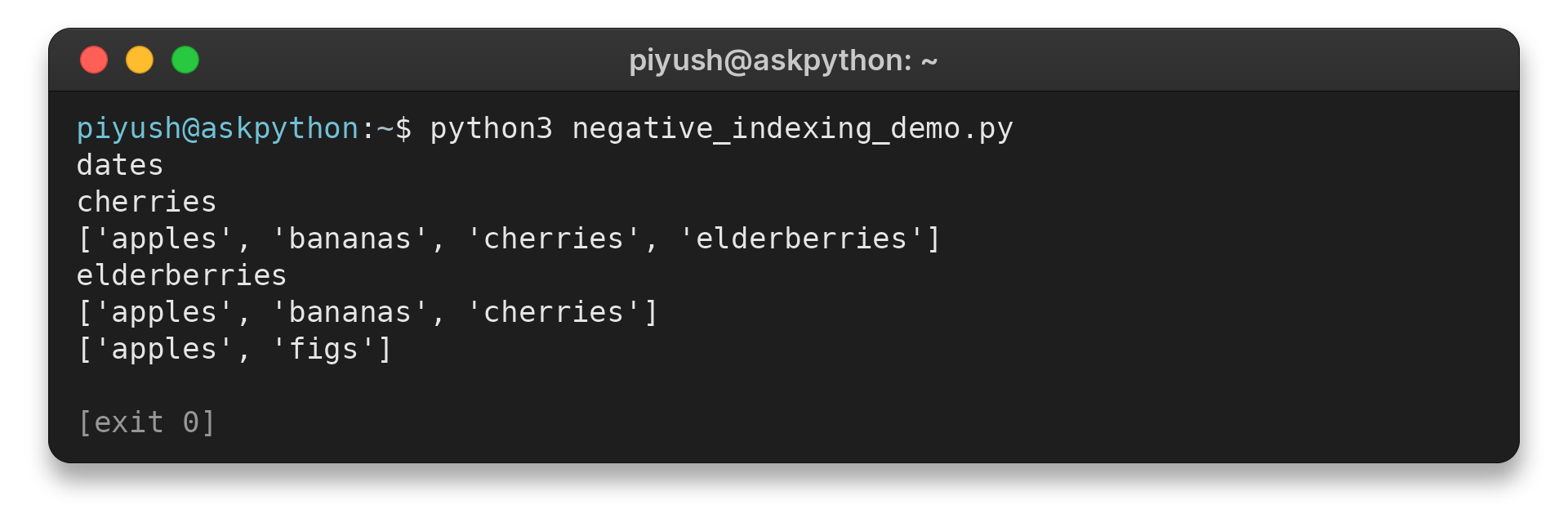
The output shows the end-relative reads and changed list. After pop removes elderberries, slice assignment replaces the tail with figs and shortens the list.
Step 2: Compare negative indexes across sequences
Negative subscripts also select positions in strings, tuples, ranges, and nested lists. The probe below checks these cases alongside dictionaries and sets, which use different access rules.
| Sequence or container | Expression | Result |
|---|---|---|
| List | items[-1] | Final list item |
| String | word[-1] | Final character |
| Tuple | point[-1] | Final tuple item |
| Range | positions[-1] | Final integer in the range |
| Nested list | rows[-1][-1] | Final item of the final inner list |
| Dictionary | mapping[-1] | Value for key -1, or KeyError when absent |
| Set | labels[-1] | TypeError because a set has no indexed positions |
word = "python"
point = (3, 7)
positions = range(2, 12, 2)
rows = [["Alice", 18], ["Bob", 22]]

print(word[-1])
print(point[-1])
print(positions[-1])
print(rows[-1][-1])

mapping = {0: "first", 1: "last inserted"}
try:
    mapping[-1]
except KeyError as error:
    print(f"{type(error).__name__}: {error}")

explicit_key = {-1: "value stored under key -1"}
print(explicit_key[-1])

labels = {"alpha", "omega"}
try:
    labels[-1]
except TypeError as error:
    print(f"{type(error).__name__}: {error}")

repeated = ["same", "middle", "same"]
print(repeated.index("same"))
print(repeated[-1])
print(len(repeated) - 1)
n
7
10
22
KeyError: -1
value stored under key -1
TypeError: 'set' object is not subscriptable
0
same
2
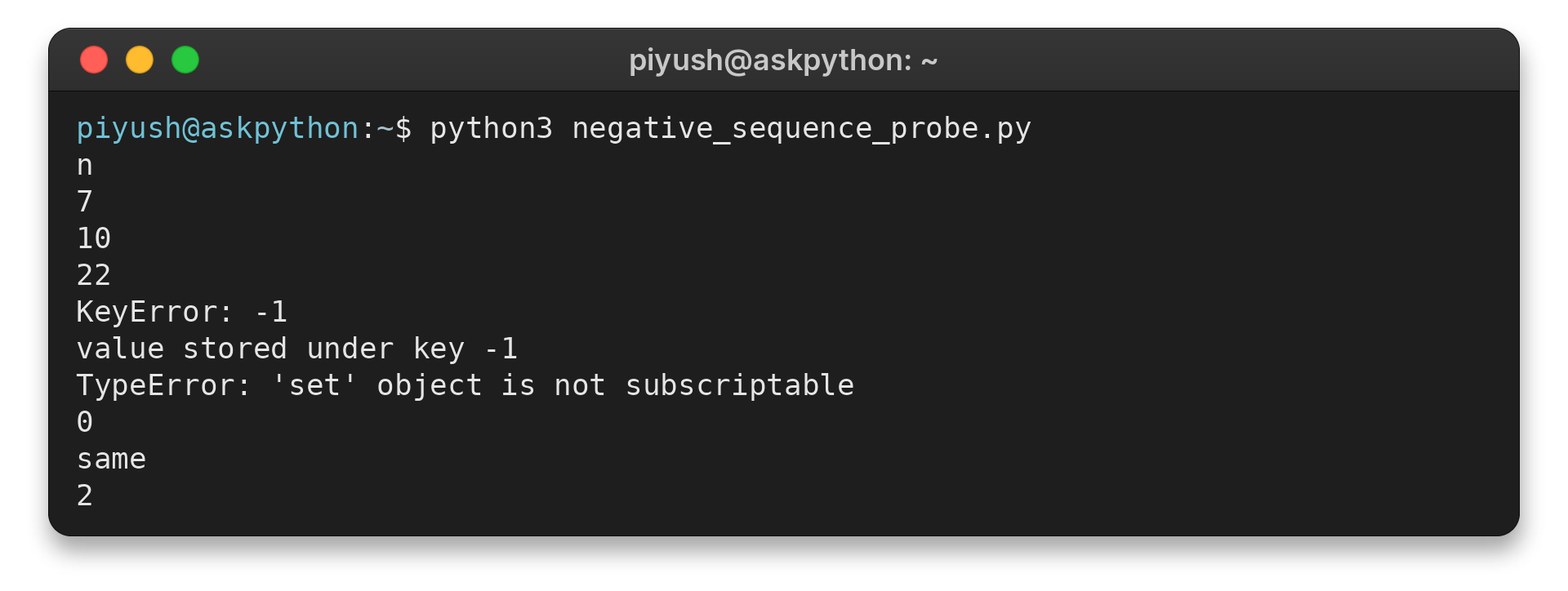
For a nested list, rows[-1][-1] selects the final item of the final inner list, with each bracket pair indexing another level. An empty inner list still raises IndexError.
Strings, tuples, and ranges support positional reads but are immutable, so an index cannot replace their stored values in place. A slice keeps its input type, whether the result is a list, tuple, string, or range.
A dictionary treats its subscript as a key, while a set does not support subscripting. In the repeated-value probe, list.index returns 0 for the first matching value, while the last item is at position 2.
Step 3: Replace an item with a negative index
Assign through a valid negative list index when an item should change but the list should keep its length. In the example, items[-1] = “elderberries” replaces dates in its existing slot.
Slice assignment can change the list length when the replacement has a different number of values. Here, the tail range becomes one item. Use append or insert when adding a position instead.
Step 4: Delete items from the list end
Use del with a negative index to remove an item when its value is not needed. Unlike pop(), del does not return the removed value, so use pop(-1) when the next operation needs that value.
The example removes one item with del tasks[-2], then removes the remaining tail range with del tasks[-2:].
Deleting a position shortens the list and shifts following items. The remove(value) method instead deletes the first matching value, which matters when a list contains duplicates.
tasks = ["draft", "review", "test", "publish"]

del tasks[-2]
print(tasks)

del tasks[-2:]
print(tasks)

count = 0
remaining = ["review", "publish"]
del remaining[-count:]
print(remaining)

guarded = ["review", "publish"]
if count:
    del guarded[-count:]
print(guarded)
['draft', 'review', 'publish']
['draft']
[]
['review', 'publish']
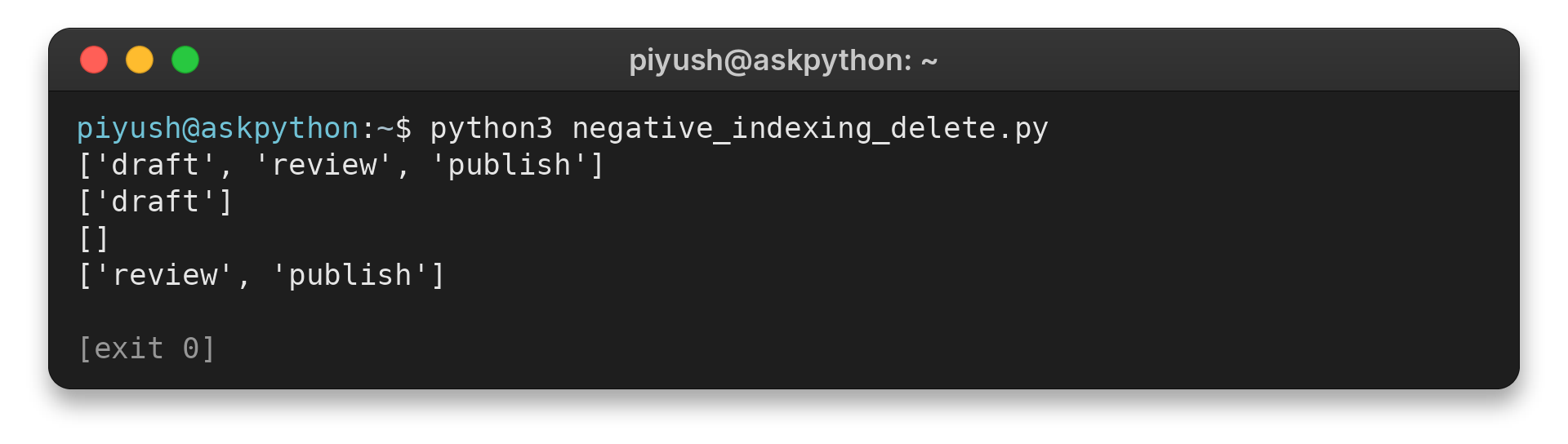
I ran python3 negative_indexing_delete.py. The zero-count example shows that del remaining[-count:] removes the whole list, while the if count guard leaves the list unchanged.
Step 5: Slice from a negative position
A slice uses start:stop:step. The start is included and the stop is excluded. For a forward slice, omit the start to begin at the list’s beginning, omit the stop to reach its end, and omit the step to move forward one position at a time.
A negative step changes the direction. The expression items[::-1] begins at the end and walks back to the start, returning the items in reverse order.
Positive and negative bounds can appear in the same slice. For this list, items[1:-1] starts after red and stops before gold. The forward slice items[-1:1] is empty because its start lies after its stop, so a backward range needs a negative step.
Step 6: Choose an item or a one-item slice
Use items[-1] when the next operation needs the final value. Use items[-1:] when it expects a list, because the slice result remains a list with one item.
Step 7: Skip positions with a slice step
The step can skip positions as well as change direction. With a step of 2, items[::2] takes every second item while moving forward from the start.
With a step of -2, items[::-2] starts at the end and visits every second position while moving backward. On this list, it yields [‘gold’, ‘green’] rather than the forward result [‘red’, ‘blue’].
Changing the start to 1 makes items[1::2] yield green and gold, the alternate group selected by that stride.
Step 8: Check what a list slice copies
List slicing creates a shallow copy: changing a slot leaves the source list’s corresponding slot alone. Nested mutable values remain shared, so changing an inner object can be visible through either list.
items = ["red", "green", "blue", "gold"]

print(items[-3:-0])
print(items[-3:])
print(items[-3:-1])
print(items[:-1])
print(items[::-1])
print(items[::2])
print(items[::-2])
print(items[1:-1])
print(items[-1:1])
print(items[1::2])

try:
    items[::0]
except ValueError as error:
    print(f"{type(error).__name__}: {error}")

count = 0
print(items[-count:])
print(items[-count:] if count else [])

tail = items[-2:]
tail[0] = "violet"
print(tail)
print(items)
[]
['green', 'blue', 'gold']
['green', 'blue']
['red', 'green', 'blue']
['gold', 'blue', 'green', 'red']
['red', 'blue']
['gold', 'green']
['green', 'blue']
[]
['green', 'gold']
ValueError: slice step cannot be zero
['red', 'green', 'blue', 'gold']
[]
['violet', 'gold']
['red', 'green', 'blue', 'gold']
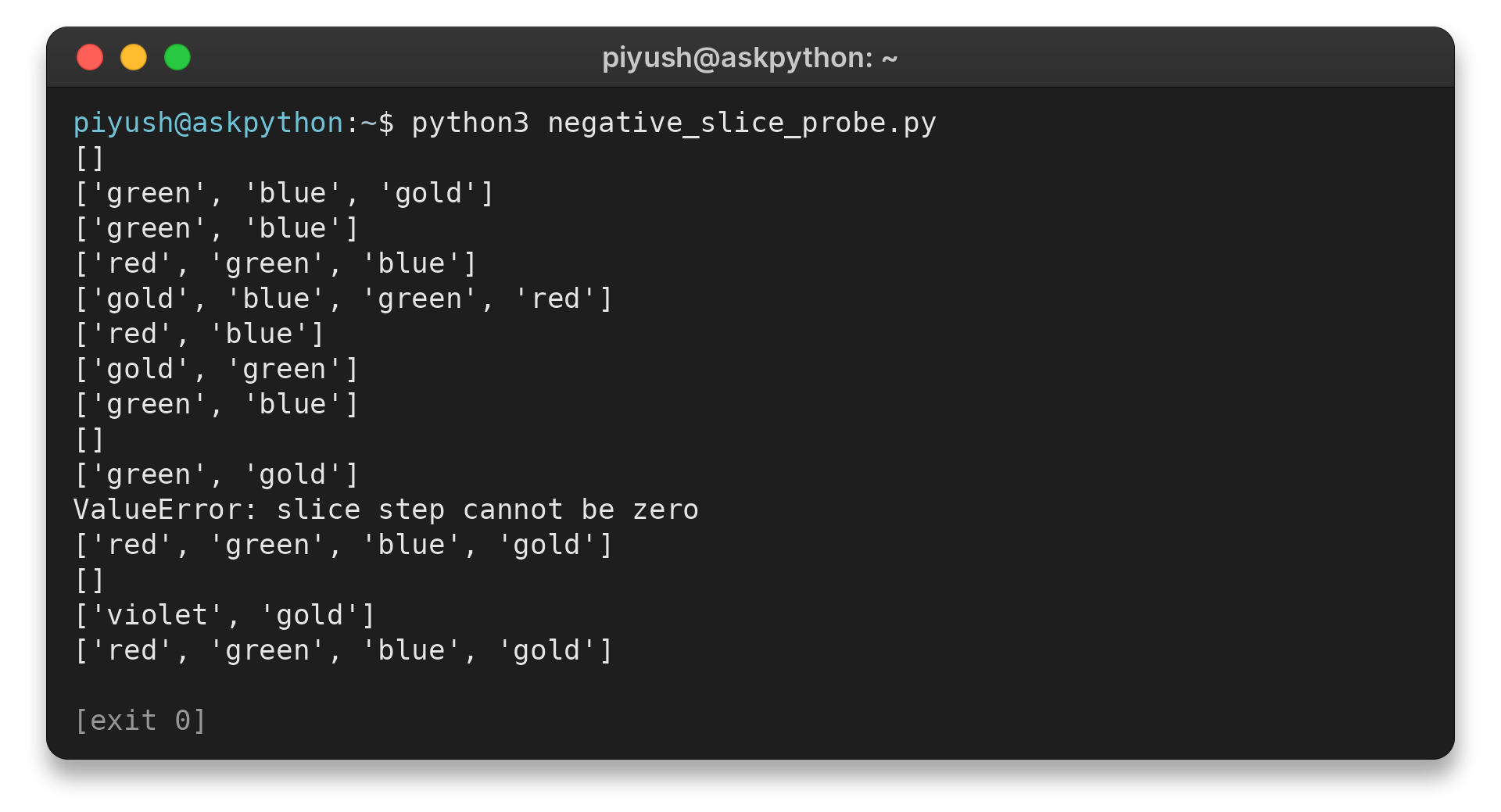
I ran python3 negative_slice_probe.py. An omitted stop reaches gold, while -0 gives the empty slice. With count at zero, the unspecialized slice returns the whole list but the guarded expression returns an empty list.
Negative Indexing Edge Cases
A single-item lookup needs a valid position, while a slice can return the available range when one of its bounds falls outside the list.
| Case | What happens | What to do |
|---|---|---|
| Empty list with items[-1] | Raises IndexError: list index out of range. | Check whether the list has a value before reading its final item. |
| Index below -len(items) | A single-item lookup raises IndexError. | For length n, use an index from -n through n – 1. |
| Slice bound beyond the list | The slice returns the available range rather than raising IndexError. | Check the returned slice length if the requested size matters. |
| Slice ending at -1 | The item at -1 is excluded because a slice stop is not included. | Use items[-k:] when the slice should reach the end. |
| Computed stop of -0 | -0 is 0, so it does not mean “through the end.” | Use an omitted stop or None when a computed bound is zero. |
| Slice step of zero | Raises ValueError: slice step cannot be zero. | Choose a nonzero positive or negative step. |
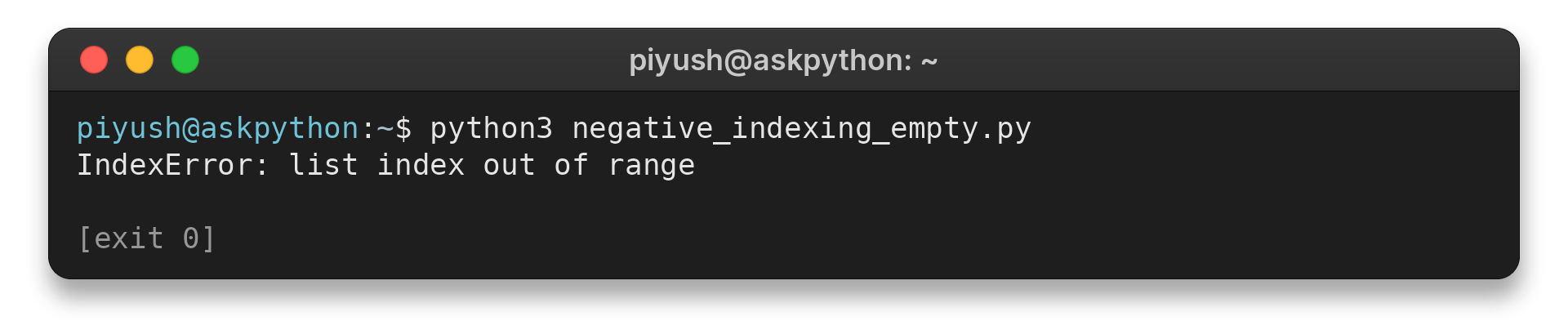
I ran python3 negative_indexing_empty.py with items empty. The terminal printed the exception shown below.
items = []

try:
    items[-1]
except IndexError as error:
    print(f"{type(error).__name__}: {error}")
IndexError: list index out of range
list.reverse() reverses the list in place and returns None. By contrast, items[::-1] creates a new list in reverse order. Printing items afterward still shows the original order.
Conclusion
Python’s sequence documentation is the reference for the exact indexing and slicing rules.
For the language rules, see Python’s common sequence operations documentation and its data structures tutorial. Related AskPython guides cover list indexing and getting the first and last list items.
FAQ
These answers cover common questions about negative positions and list slices.
Can strings and tuples use negative indexes?
Yes. Strings and tuples are sequences, so a negative index counts from the end in the same way as for a list. Strings and tuples do not allow item assignment.
Does list.index() return a negative index?
No. list.index(value) returns the first matching position from the start of the list. It searches for a value rather than selecting an item from the end.