🚀 Supercharge your YouTube channel's growth with AI.
Try YTGrowAI FreeHow to Use Datacenter Proxies in Python With requests and aiohttp


Sooner or later a Python script that talks to the web needs to send its requests from somewhere else. You may be checking how an API answers from another country, running a monitor that should not share your office IP, or collecting public data from a site that limits requests per address. A proxy is the tool for all three.
This tutorial covers the practical side: how to plug a proxy into requests, how to rotate through several of them with retries, how to use SOCKS5, and how to fetch many pages at once with aiohttp. The code is short and you can copy it as is.
Which kind of proxy to use
For most scripted work, datacenter proxies are the first thing to try. They are IP addresses hosted on servers, so they are fast and cheap, and good providers sell them with unlimited traffic. Their weakness is that large sites recognize hosting ranges. For APIs, documentation, small and mid-sized sites and your own services, that does not matter.
Shared proxies are used by many customers at once, and you inherit their rate limits and bans. A dedicated proxy is yours alone. Any provider that gives you a host, a port, a login and a password will work with the code below.
A proxy address has this form:
http://USERNAME:[email protected]:8080
If your provider supports IP whitelisting, you can add your server’s IP in the dashboard and drop the login and password from the URL.
A single request through a proxy
import requests
PROXY = “http://USERNAME:[email protected]:8080”
proxies = {“http”: PROXY, “https”: PROXY}
r = requests.get(“https://httpbin.org/ip”, proxies=proxies, timeout=10)
print(r.json())
The service httpbin.org/ip returns the address it sees. If the output shows the proxy’s IP and not your own, the setup works. Note that both keys point to the same proxy URL. The key is the scheme of the site you request, and the value is how to reach the proxy.
Always set a timeout. Without one, a stalled proxy connection will hang your script forever.
Rotating through a pool with retries
One IP is enough for a monitor. For a job that makes thousands of requests, spread them across several addresses and retry on failure.
import itertools
import time
import requests
PROXIES = [
“http://USERNAME:[email protected]:8080”,
“http://USERNAME:[email protected]:8080”,
“http://USERNAME:[email protected]:8080”,
]
pool = itertools.cycle(PROXIES)
def fetch(url, tries=3):
last_error = None
for attempt in range(tries):
proxy = next(pool)
try:
r = requests.get(url, proxies={“http”: proxy, “https”: proxy}, timeout=(5, 15))
if r.status_code == 429:
time.sleep(2 ** attempt)
continue
r.raise_for_status()
return r
except requests.RequestException as e:
last_error = e
time.sleep(2 ** attempt)
raise RuntimeError(f”all {tries} attempts failed for {url}”) from last_error
response = fetch(“https://httpbin.org/anything”)
print(response.status_code)
A few details are worth pointing out. itertools.cycle hands out proxies in a round robin, so every retry leaves from a different IP. The timeout is a tuple: five seconds to connect, fifteen to read. Status 429 means the site asked you to slow down, so the function waits and moves on to the next address. The wait doubles with each attempt, which is the simplest form of backoff.
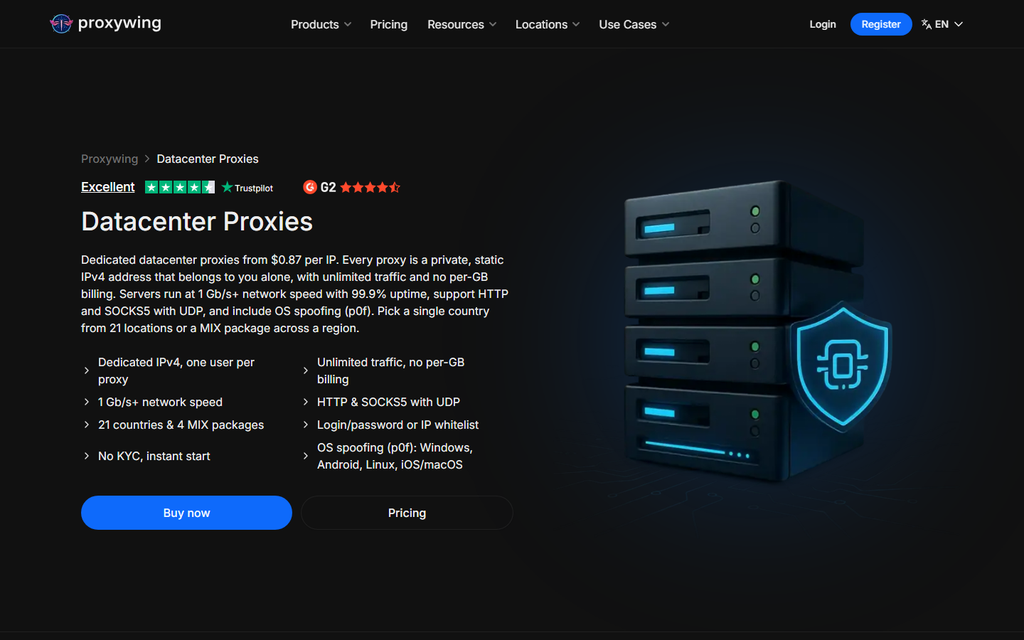
For a pool like this, dedicated datacenter proxies are the practical choice. The examples in this article were written for ProxyWing addresses, which cost $1.80 for a single IP a month and less in quantity, with unlimited traffic and support for HTTP and SOCKS5.
If you make many requests to the same host through the same proxy, create one requests.Session per proxy and reuse it. The session keeps the connection open and saves a TLS handshake on every call.
Using SOCKS5
HTTP proxies are fine for web requests. SOCKS5 works at a lower level and can carry any TCP traffic. To use it with requests, install the extra dependency:
pip install “requests[socks]”
Then change the scheme:
proxy = “socks5h://USERNAME:[email protected]:1080”
r = requests.get(“https://httpbin.org/ip”, proxies={“http”: proxy, “https”: proxy}, timeout=10)
The letter h in socks5h tells requests to resolve domain names through the proxy and not on your machine. Use it unless you have a reason not to, since it keeps DNS lookups consistent with the proxy’s location.
Many requests at once with aiohttp
requests is synchronous, so a thousand pages take a thousand round trips in a row. With aiohttp you can keep dozens of requests in flight.
import asyncio
import aiohttp
PROXIES = [
“http://USERNAME:[email protected]:8080”,
“http://USERNAME:[email protected]:8080”,
“http://USERNAME:[email protected]:8080”,
]
URLS = [f”https://httpbin.org/anything/{i}” for i in range(30)]
async def fetch(session, sem, url, proxy):
async with sem:
async with session.get(url, proxy=proxy) as resp:
resp.raise_for_status()
return url, resp.status, len(await resp.read())
async def main():
sem = asyncio.Semaphore(10)
timeout = aiohttp.ClientTimeout(total=20)
async with aiohttp.ClientSession(timeout=timeout) as session:
tasks = [fetch(session, sem, url, PROXIES[i % len(PROXIES)])
for i, url in enumerate(URLS)]
for result in await asyncio.gather(*tasks, return_exceptions=True):
print(result)
asyncio.run(main())
The semaphore caps the number of requests running at the same time. Ten is a polite default for three proxies. With return_exceptions=True a failed request comes back as an exception object in the results and does not cancel the rest. aiohttp accepts HTTP proxies out of the box. For SOCKS5 you need the aiohttp-socks package.
How many proxies and how fast
There is no universal number, but these rules of thumb hold up:
- Start with one request per second per IP against a site you do not control. Raise it only while the error rate stays flat.
- If you see 429 or 403 responses, add IPs before you add speed.
- For your own services and for APIs with documented limits, follow the documented limit per IP.
- Keep the proxy close to the target. A proxy in the same country as the server usually adds only a few milliseconds.
Datacenter IPs with unlimited traffic make this cheap to tune. Ten addresses are enough for most monitoring and data jobs.
Troubleshooting
| Symptom | Likely cause | Fix |
| 407 Proxy Authentication Required | Wrong login or password, or your IP is not whitelisted | Check credentials, URL-encode special characters in the password |
| Timeouts on every request | Wrong port or protocol | HTTP and SOCKS5 usually listen on different ports |
| httpbin shows your own IP | The proxies argument is missing a key | Set both http and https |
| SSL errors | Requesting through a proxy that intercepts TLS | Use a reputable provider and never disable verification |
| 403 from the target only | The site blocks hosting ranges | Switch that target to residential or ISP proxies |
One more tip about passwords. Characters such as @, : and / break the proxy URL. Encode the password first:
from urllib.parse import quote
password = quote(“p@ss:word”, safe=””)
FAQ
Do I need to pass proxies on every call?
No. Set session.proxies once on a requests.Session, or read them from the HTTP_PROXY and HTTPS_PROXY environment variables.
Are datacenter proxies enough for web scraping?
For many sites, yes. Large retailers, search engines and social networks block hosting ranges, and for those you need residential IPs.
Is rotating on every request always better?
No. Flows with a login or a cart should stay on one IP. Rotate for independent pages.
How do I keep credentials out of the code?
Read them from environment variables or a secrets manager and build the proxy URL at runtime.