🚀 Supercharge your YouTube channel's growth with AI.
Try YTGrowAI FreePretty Print JSON in Python

Nested JSON is harder to scan when it appears on one line in a terminal. Python’s json module parses JSON text into Python values, then formats it with line breaks and indentation.
This article shows how to format JSON from a string or file, then explains the options and common errors that affect the output.
TL;DR
I start with a small JSON string to test indentation before moving to files or the command line. Pretty printing adds whitespace, not data, for ordinary JSON. Parsing can normalize spelling or drop repeated names, so I chose two spaces for legible nesting.
- Use json.loads() and json.dumps() for string input.
- Use json.load() and json.dump() for files.
- Use json.tool to format or check a file in the terminal.
What Is JSON Pretty Printing?
I parse JSON text before inspecting members because Python’s json module must convert it into values my code can query. Pretty printing then adds line breaks and indentation.
| JSON value | Python value after parsing |
|---|---|
| Object | Dictionary |
| true or false | True or False |
| null | None |
| String or number | String, integer or float |
The root can be an array, which becomes a Python list. Iterate over its records instead of assuming that every document offers dictionary-style field lookups.
How to Pretty-Print JSON in Python Step by Step
Choose an API that matches where the JSON begins. I ran the named examples and put the captured output beside each one.
Step 1: Format a JSON string
json.loads() parses JSON text before json.dumps() formats it, whether the input is minified or multiline. JSON is language-neutral, so text from a JavaScript app can use the same parser when it follows JSON syntax. I set ensure_ascii=False to keep Zoë readable.
import json

json_text = '{"user":{"name":"Zoë","active":true}}'
data = json.loads(json_text)
pretty_text = json.dumps(data, indent=2, ensure_ascii=False, sort_keys=True)
print(pretty_text)
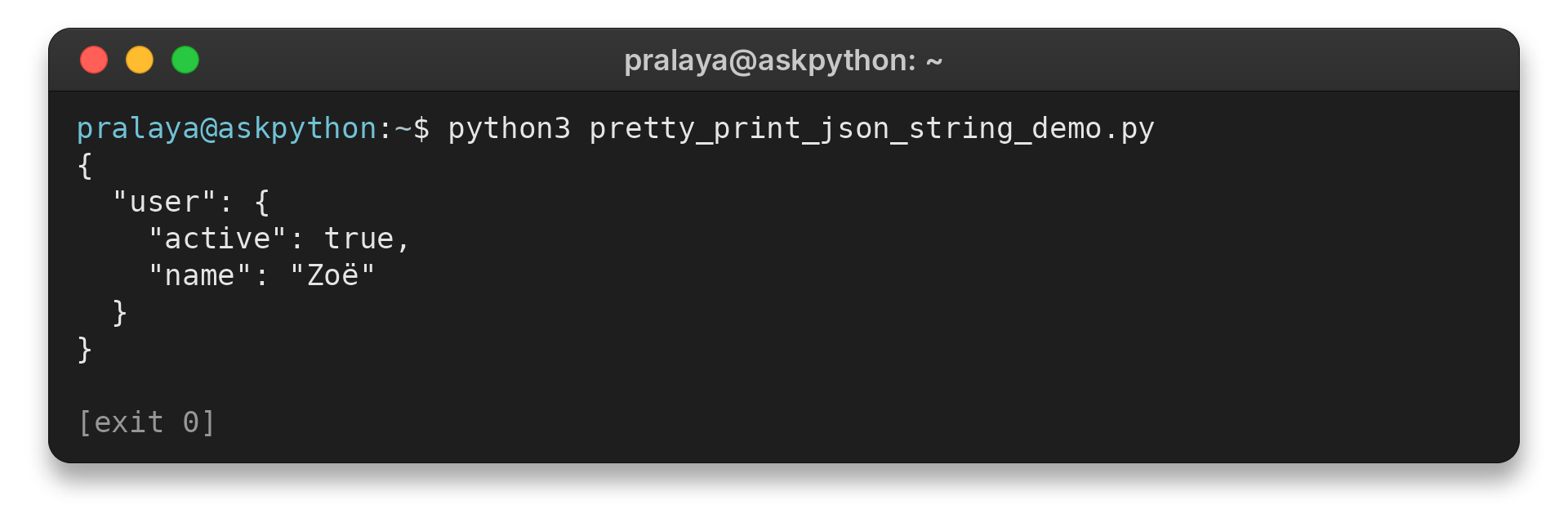
The program prints this JSON text:
{
  "user": {
    "active": true,
    "name": "Zoë"
  }
}
Pass an existing Python dictionary or list directly to dumps() instead of parsing JSON text again.
Step 2: Read a JSON file and save formatted output
json.load() reads from an open file, and json.dump() writes to one. Choose a new output path to preserve compact input.
{"user":{"name":"Zoë","active":true},"items":[{"id":3},{"id":7}]}
This program reads sample.json as UTF-8 and writes pretty.json with two-space indentation. I verified the saved file against the printed output.
import json

with open("sample.json", encoding="utf-8") as source:
    data = json.load(source)

with open("pretty.json", "w", encoding="utf-8") as destination:
    json.dump(data, destination, indent=2, ensure_ascii=False)

with open("pretty.json", encoding="utf-8") as formatted:
    print(formatted.read(), end="")
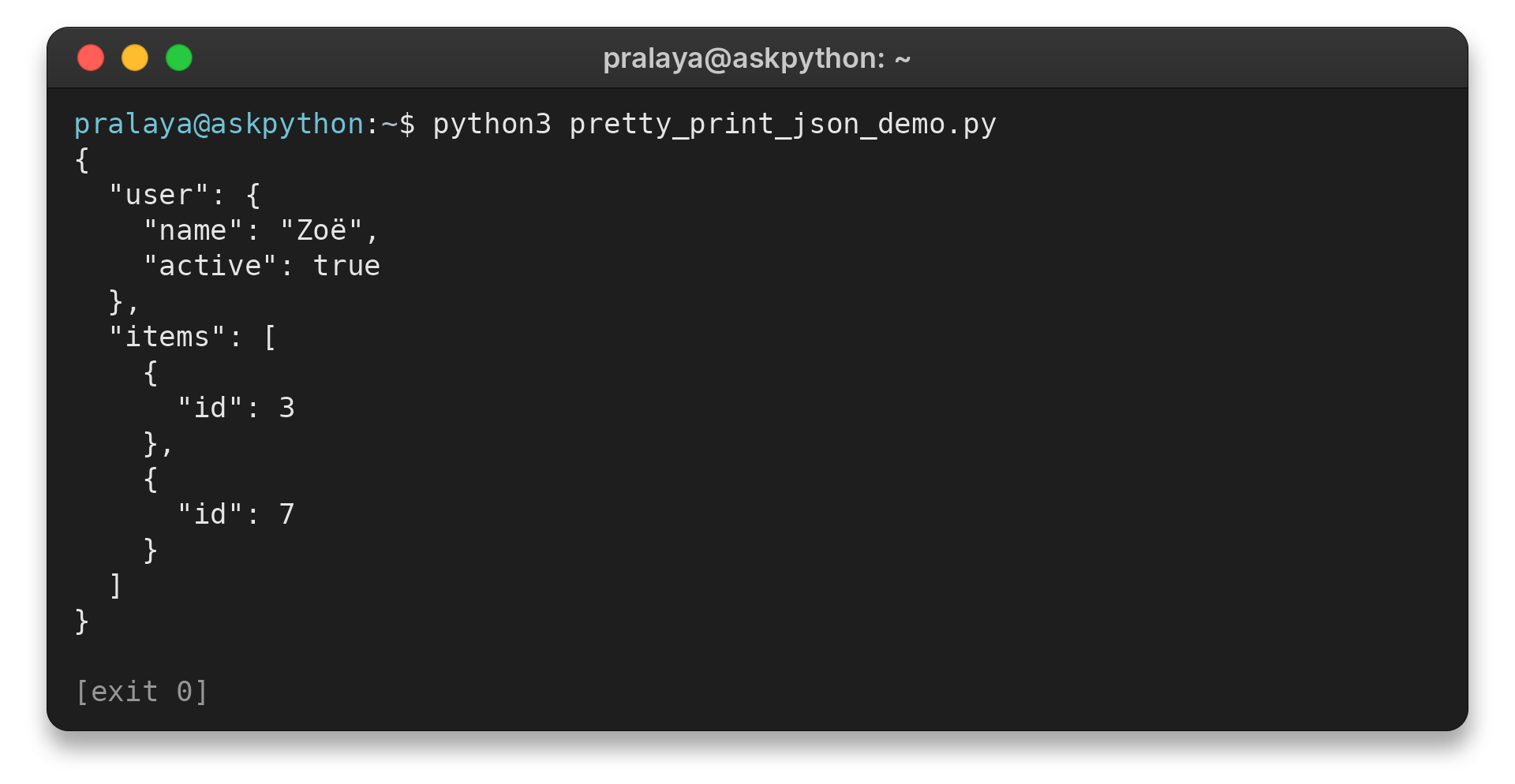
The program prints the formatted content saved as pretty.json:
{
  "user": {
    "name": "Zoë",
    "active": true
  },
  "items": [
    {
      "id": 3
    },
    {
      "id": 7
    }
  ]
}
Open text files with UTF-8 so non-ASCII names survive. See the linked guide to reading JSON files for that separate task.
Step 3: Format JSON from the command line
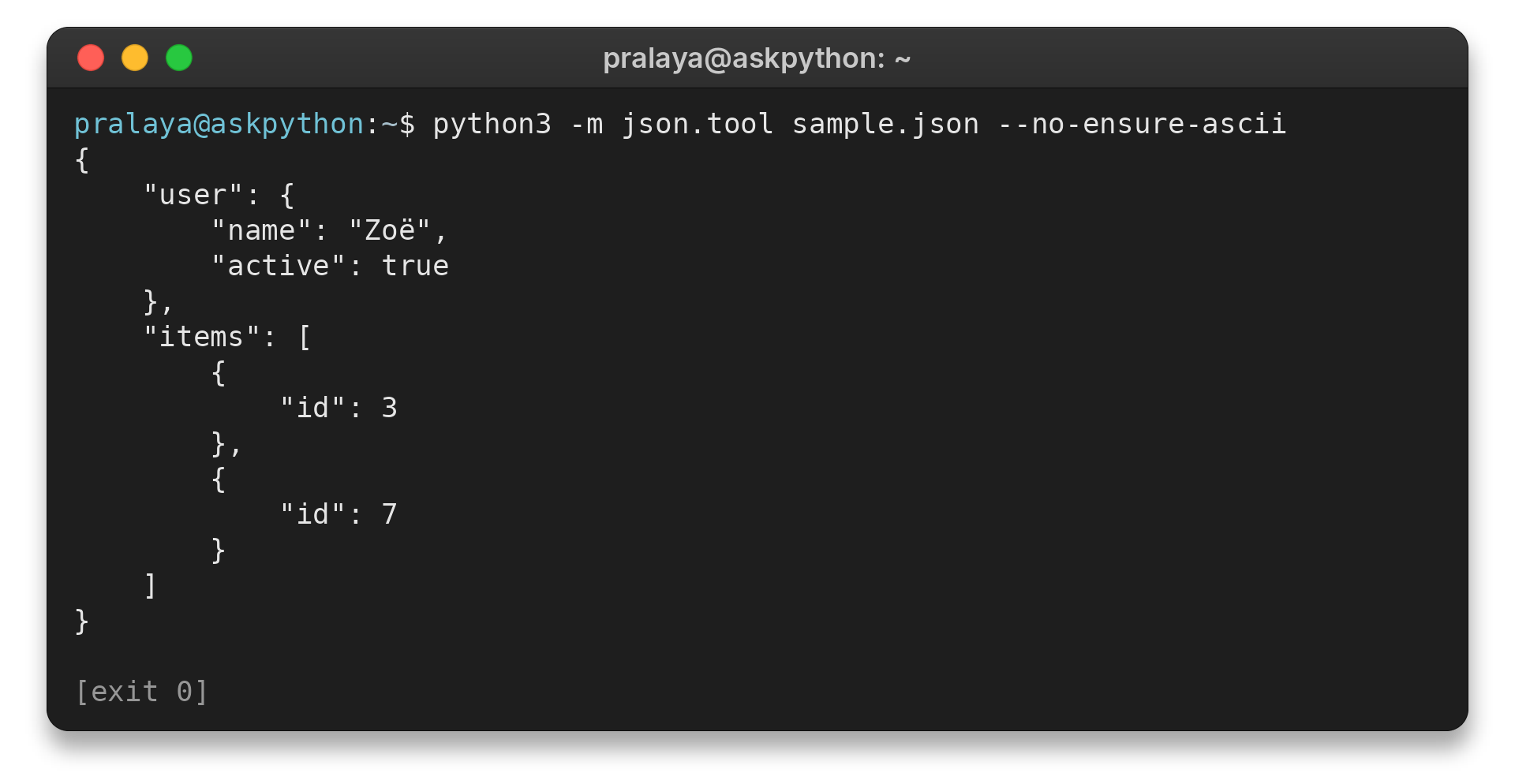
json.tool formats or checks a file without a script. Its no-ensure-ascii option is available from Python 3.9.
python3 -m json.tool sample.json --no-ensure-ascii
The command displays:
{
    "user": {
        "name": "Zoë",
        "active": true
    },
    "items": [
        {
            "id": 3
        },
        {
            "id": 7
        }
    ]
}
JSON Pretty-Printing Options and Common Errors
I sort keys with sort_keys=True when alphabetical order helps compare files because it changes display order, not the data.
The table maps each option to its trade-off and shows which inputs need extra attention.
| Case | What happens | What to choose |
|---|---|---|
| Indentation | No indent keeps output compact. Zero adds line breaks without spaces. | Use two or four spaces for nesting. |
| Unicode | Non-ASCII characters use escapes by default. | Set ensure_ascii=False and write UTF-8 for readable text. |
| Key order | sort_keys=True alphabetizes object keys without changing values. | Use it for predictable display order. |
| Invalid JSON | Malformed syntax, comments and trailing commas cause a parse error. json.tool reports a location. | Correct the input first. |
| Repeated names | The default decoder keeps the last repeated object name. | Check duplicates before parsing if each value matters. |
| Required fields | Valid JSON can still omit fields your program expects. | Check application rules after parsing. |
| Non-string keys | Supported dictionary key types may become strings. Unsupported ones raise TypeError. | Use string keys when the receiver relies on their types. |
| Non-finite numbers | Python can emit NaN or Infinity, which strict JSON excludes. | Check values when the receiver expects strict JSON. |
| Large files | json.load() reads the full document into memory. | Use a streaming parser for huge files, which can process chunks instead of retaining the whole document. |
| Python display | pprint shows Python values such as True and None. | Use JSON serialization for another program. |
Parsing and writing may normalize escapes or numbers. Keep the source when a diff or signature needs exact text.
Conclusion: Keep JSON Data and Formatting Separate
I chose the Python standard-library reference below because it documents the methods used in these examples. Related tools include json.tool for terminal formatting and pprint for viewing Python values.
- Python json module documentation
- How to read a JSON file in Python
- JSON serialization and deserialization in Python
Frequently Asked Questions
Use these distinctions when choosing how to display JSON.
Does indentation change JSON values?
For unique names, indentation changes layout. Parsing can normalize escape or number spelling.
How do I display Unicode without escapes?
Set ensure_ascii=False or use json.tool’s –no-ensure-ascii option. Write the file as UTF-8 for readable characters.
Is pprint output valid JSON?
No. pprint shows Python values such as True and None. Use json.dumps() or json.dump() to produce JSON text.

![Generators in Python [With Easy Examples]](https://www.askpython.com/wp-content/uploads/2026/09/generators-in-python-featured-768x432.png)