🚀 Supercharge your YouTube channel's growth with AI.
Try YTGrowAI FreePython Case Statement: How To Create Switch-Case in Python?


Python never shipped a switch statement, so generations of us built our own out of long if-elif chains and dict lookups. I ran every style on Python 3.11.16 this morning, side by side, and the surprise was not speed.
You will see which branch to reach for by the end, and where match breaks when you lean on it.
Python Never Had a Switch Statement Until Match Arrived
Other languages give you switch for free, while Python refused for decades and its tutorial still names the if-elif chain as the substitute.
That changed with Python 3.10 in 2021, which added the match statement through PEP 634, and I confirmed this against the current tutorial because stale posts still claim Python has no answer. That era is over.
Switch compares one value against constants, while match pulls values out of tuples, lists, dicts, and objects, then branches on shape as well as content. The resemblance misleads, because the two only look alike from a distance.
| Construct | Compares values | Opens up data | Needs a version |
|---|---|---|---|
| If-elif chain | Yes | No | No, runs everywhere |
| Dict lookup | Keys only | No | No, runs everywhere |
| Match statement | Yes | Yes, sequences, mappings, objects | Yes, Python 3.10 or newer |
What You Need Before You Write Match
Bring Python 3.10 or newer, since older interpreters reject match outright, and I ran everything here on 3.11.16.
| Your version | Match support | What to use |
|---|---|---|
| 3.9 or older | None, syntax error | If-elif chains and dict dispatch |
| 3.10 or newer | Full statement | Any style in this guide |
python3 --version
# Python 3.11.16 on the machine used here
If your project still supports 3.9 or older, skip ahead to the if-elif and dict sections, because those run everywhere. Match itself needs no import.
Write Switch-Style Branching Three Ways
One running example carries this whole section, mapping day numbers to names through each style so the outputs show where they agree and diverge.
If-Elif-Else Still Works for Small Chains
The chain below is the style every Python programmer already knows, and I ran it first to set the baseline the other two must beat for clarity.
def check_day(day):
    if day == 1:
        return "Monday"
    elif day == 2:
        return "Tuesday"
    elif day == 3:
        return "Wednesday"
    elif day == 4:
        return "Thursday"
    elif day == 5:
        return "Friday"
    elif day == 6:
        return "Saturday"
    elif day == 7:
        return "Sunday"
    else:
        return "Invalid day"

print(check_day(3))
print(check_day(9))
Wednesday
Invalid day
Nothing here surprises anyone, which is exactly its strength. The weakness shows past a dozen branches, where the chain turns into a wall of repeated comparisons.
Dict Dispatch for Pure Value Lookup
When every branch only returns a value, a dict replaces the whole chain with one lookup. I ran the same inputs through it and got byte-identical answers.
days = {
    1: "Monday",
    2: "Tuesday",
    3: "Wednesday",
    4: "Thursday",
    5: "Friday",
    6: "Saturday",
    7: "Sunday",
}

print(days.get(3, "Invalid day"))
print(days.get(9, "Invalid day"))
Wednesday
Invalid day
The get call carries the default, so the else branch dissolves into one argument. This style breaks down the moment branches need different logic instead of different values.
Match-Case for Branches With Logic
Match earns its keep when one input needs grouping logic, not just a rename. The vertical bar below merges several values into one branch, which neither style above expresses cleanly.
def match_day(day):
    match day:
        case 1:
            return "Monday"
        case 2 | 3 | 4 | 5:
            return "Weekday"
        case 6 | 7:
            return "Weekend"
        case _:
            return "Invalid day"

print(match_day(3))
print(match_day(7))
print(match_day(9))
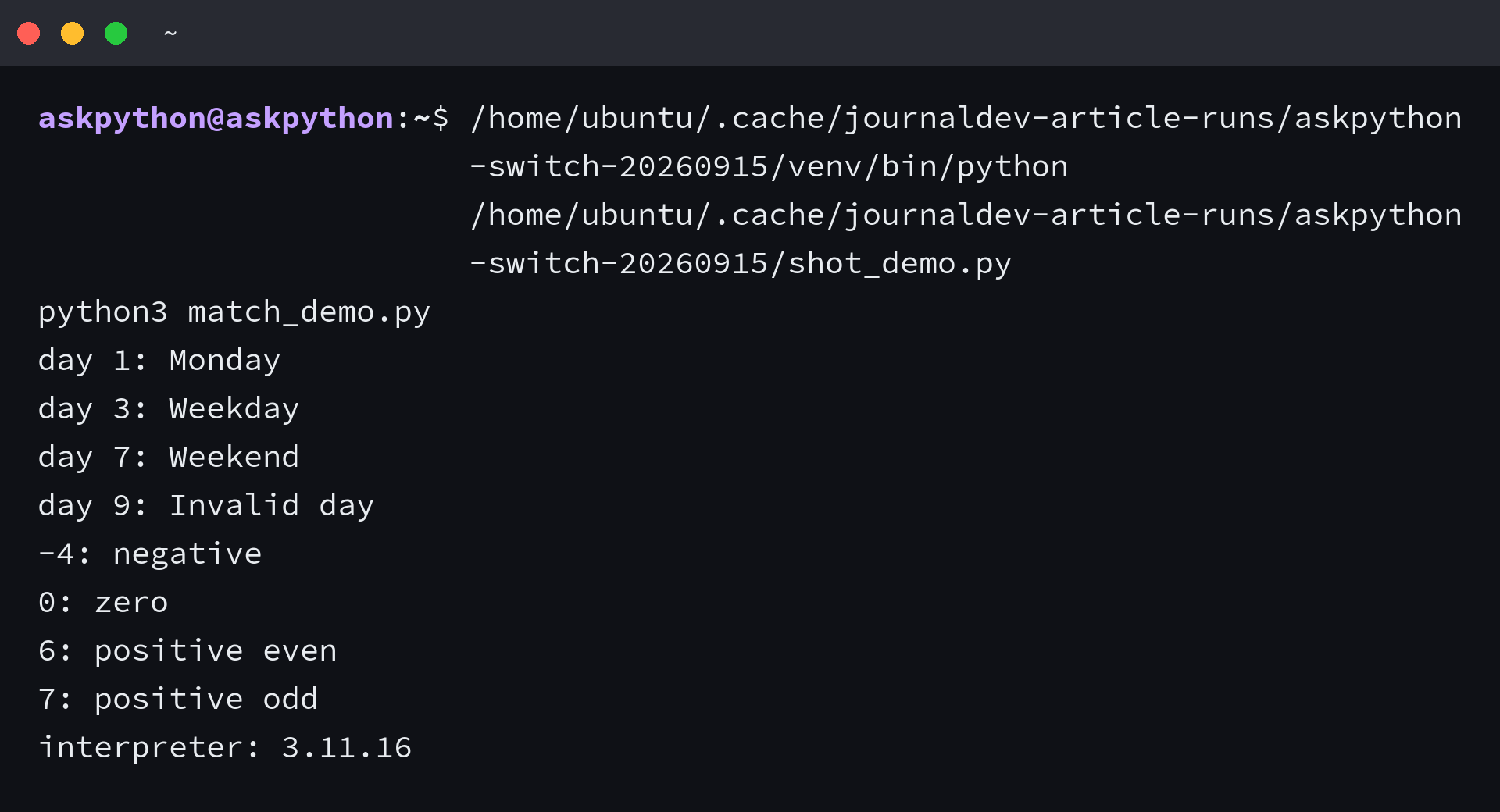
Weekday
Weekend
Invalid day
I expected a prettier switch and found something closer to a classifier, since the branches describe groups. The underscore in the last branch is the wildcard, and it catches everything the earlier branches decline.
Destructure Sequences and Mappings
No switch statement pulls data apart this way. A case clause names the pieces inside a tuple and binds them to variables on the spot.
def describe(point):
    match point:
        case (0, 0):
            return "origin"
        case (0, y):
            return f"y-axis at {y}"
        case (x, 0):
            return f"x-axis at {x}"
        case (x, y):
            return f"point {x},{y}"
        case _:
            return "not a point"

print(describe((0, 0)))
print(describe((0, 5)))
print(describe((3, 4)))
origin
y-axis at 5
point 3,4
Dicts work the same way, matching keys and capturing the rest. A tiny request router shows the shape.
def route(request):
    match request:
        case {"action": "quit"}:
            return "quitting"
        case {"action": "move", "direction": d}:
            return f"moving {d}"
        case _:
            return "unknown request"

print(route({"action": "move", "direction": "north"}))
print(route({"action": "quit"}))
moving north
quitting
Guards Narrow a Case
A guard adds an if condition to a case so the branch runs only when shape and value agree. Shape alone sometimes matches the wrong branch.
def classify(n):
    match n:
        case x if x < 0:
            return "negative"
        case 0:
            return "zero"
        case x if x % 2 == 0:
            return "positive even"
        case _:
            return "positive odd"

print(classify(-4))
print(classify(0))
print(classify(6))
print(classify(7))
negative
zero
positive even
positive odd
Order decides everything here, because the first matching branch wins and later ones never run. Put the broad check first and the guard below it starves, which the next section demonstrates.
Constants Need Dots and Bare Names Bind
I walked into this trap myself. I assumed a bare name in a case clause compares against my constant, so I wrote it the obvious way and the compiler refused.
NOT_FOUND = 404

def check_const(code):
    match code:
        case NOT_FOUND:
            return "matched constant"
        case _:
            return "default"
SyntaxError: name capture 'NOT_FOUND' makes remaining patterns unreachable
A bare name is a capture, not a comparison, so it grabs the value instead of testing it. The fix is a dotted name, which match treats as a value to compare.
class Codes:
    NOT_FOUND = 404

def check_dotted(code):
    match code:
        case Codes.NOT_FOUND:
            return "matched constant"
        case _:
            return "default"

print(check_dotted(200))
print(check_dotted(404))
default
matched constant
Where Match Breaks and What to Use Instead
Every failure below came out of the interpreter during this refresh. Knowing these edges saves an afternoon.
| Trap | Symptom | Fix |
|---|---|---|
| Broad branch first | Guard below never fires | Order narrowest to broadest |
| Bare name in case | Compiler refuses the file | Use a dotted name |
| Expecting fall-through | Later branches never run | Restructure, one branch wins |
Broad branches swallow narrow ones. The function below returns the generic answer for 6 because the int check fires first and the guard never gets consulted.
def classify_wrong(n):
    match n:
        case int():
            return "some int"
        case x if x % 2 == 0:
            return "even"
        case _:
            return "other"

print(classify_wrong(6))
some int
Unlike C switch, match never falls through, so exactly one branch runs. I verified this with a probe that collects branch hits, and only one entry ever lands.
def fallthrough_probe(v):
    out = []
    match v:
        case 1:
            out.append("one")
        case 2:
            out.append("two")
        case _:
            out.append("other")
    return out

print(fallthrough_probe(1))
['one']
The subject expression runs exactly once, which matters when it has side effects. My probe counted one call, so expensive computations stay cheap inside match.
calls = []

def expensive():
    calls.append(1)
    return 2

match expensive():
    case 1:
        print("one")
    case 2:
        print("two")

print("calls:", len(calls))
two
calls: 1
About speed, honesty first. Python match has no jump-table optimization under the hood, so pick it for readability, not for a performance story the interpreter cannot cash.
Class shapes get their own branch style too. Attribute matching on objects reads naturally once you see it run.
class Point:
    def __init__(self, x, y):
        self.x = x
        self.y = y

def where(p):
    match p:
        case Point(x=0, y=0):
            return "origin"
        case Point(x=0, y=y):
            return f"y-axis at {y}"
        case Point(x=x, y=y):
            return f"at {x},{y}"

print(where(Point(0, 0)))
print(where(Point(0, 9)))
print(where(Point(2, 3)))
origin
y-axis at 9
at 2,3
Which Branch to Reach For
Small chain with different logic per branch, keep if-elif, since everyone reads it instantly. Pure value lookup, take the dict, since one get call replaces the chain.
Grouped values, destructuring, or guards, take match, because the other two bend themselves out of shape expressing those. The readability-first crowd has a fair point here, so reach for match where its shape work shows, not as a default.
| Situation | Reach for |
|---|---|
| Few branches, different logic each | If-elif chain |
| Many inputs, one value each | Dict lookup |
| Groups, shapes, or guarded values | Match statement |
| Must run on 3.9 or older | If-elif or dict only |
Frequently Asked Questions
Direct answers to the switch questions readers keep asking. Each one points back at the section that proves it.
Does Python have a switch statement?
Python has no switch keyword. Before 3.10, if-elif chains and dict lookups filled the role. Since 3.10, the match statement covers it and adds destructuring of sequences, mappings, and objects on top.
Which Python version supports match-case?
Python 3.10 introduced match-case through PEP 634. Code using it fails on 3.9 and older, so gate version-sensitive projects or keep if-elif and dict dispatch for those.
Is match-case faster than if-elif?
No jump-table optimization sits behind match, so speed is not the reason to choose it. Choose match when branches group values, destructure data, or need guards, and keep if-elif for short chains.
Why does my constant in a case clause not match?
A bare name in a case clause captures the value instead of comparing it. Use a dotted name such as Codes.NOT_FOUND, which match compares as a value.
Does Python match fall through like C switch?
Never. The first matching branch runs and the rest are skipped, with no break statement needed. Order branches from narrowest to broadest so specific cases fire first.