🚀 Supercharge your YouTube channel's growth with AI.
Try YTGrowAI FreeRandom Email Generator: Test Addresses Without a Mailbox

An address that no mail server knows about is what a form field needs and what a verification test cannot use. This random email generator builds those addresses in your browser from a keyword, a count and a domain, and I checked both of its states here, empty before you press Generate and a copyable list after.
What a random email generator gives you
The result is a string that passes a format check and nothing else, so there is no mailbox behind it and no server that would accept a message for it. Search results for the phrase mix three different things, and the first decision is which one your test needs.
Generate random email addresses or create emails based on your keywords
Enter keywords to include in the generated email addresses. Leave empty for completely random emails.
Generated Emails
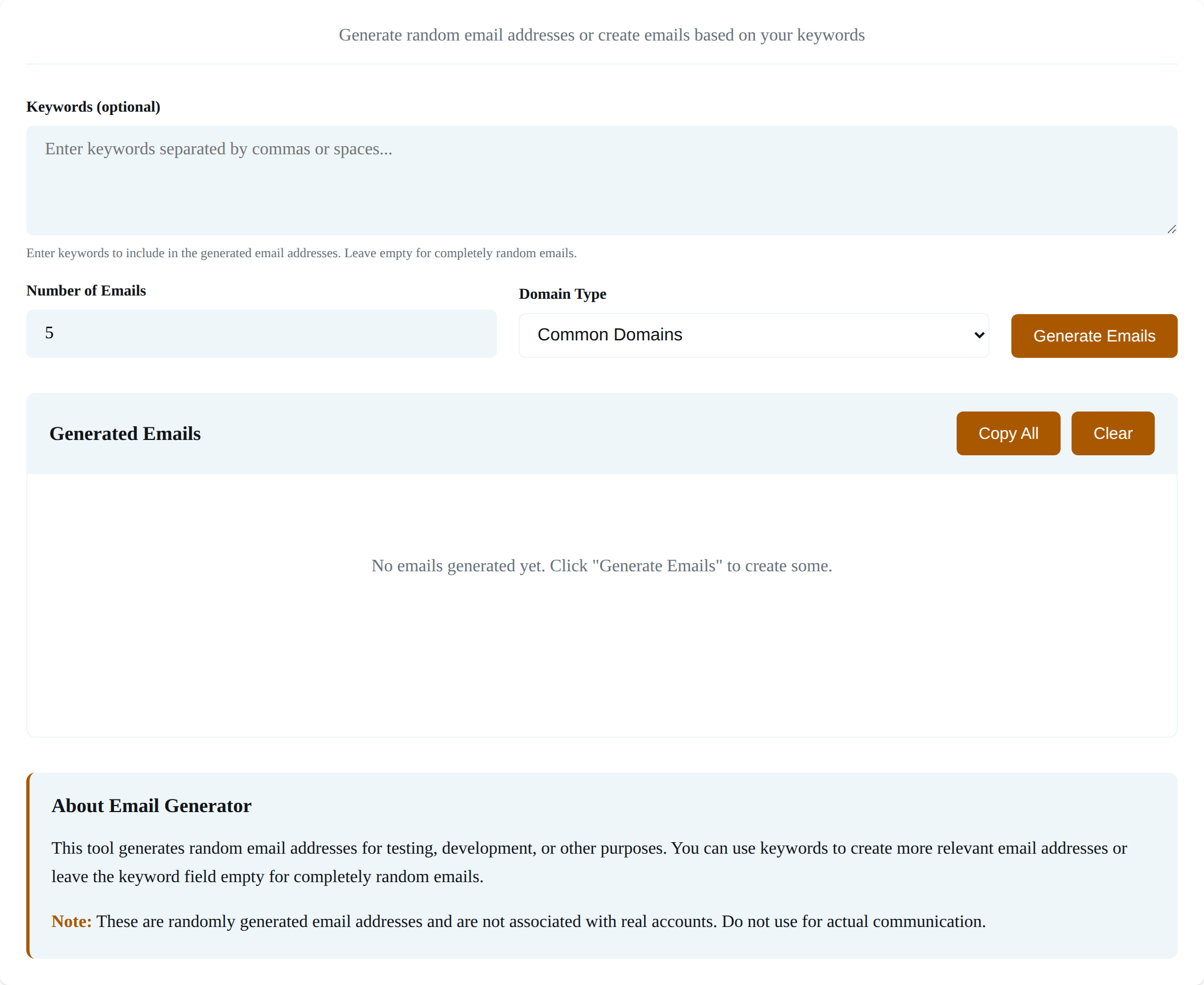
No emails generated yet. Click “Generate Emails” to create some.
About Email Generator
This tool generates random email addresses for testing, development, or other purposes. You can use keywords to create more relevant email addresses or leave the keyword field empty for completely random emails.
Note: These are randomly generated email addresses and are not associated with real accounts. Do not use for actual communication.
Pressing Generate fills the panel with addresses drawn from the settings above it. The table below separates what this tool produces from the two addresses you could use instead.
| What you have | Can it receive mail | Where it fits |
|---|---|---|
| A generated address from this tool | No | form validation, seed data, screenshots, fixtures |
| A temporary inbox from a temp mail service | Yes, for a short window | one-off signups where the confirmation has to arrive |
| Your own mailbox, or a catch-all on your domain | Yes | staging flows you have to audit and tests you run repeatedly |
The distinction matters little while you are filling a field, and it decides everything once a test waits on a reply.
What you need before you generate an address
The generator is a form and a script that run on the page itself, so there is nothing to install and no account to create. A keyword is optional, the count runs from one to one hundred, and the domain is the only setting that needs a decision.
- A browser with JavaScript enabled, because every address is built inside the page.
- A keyword when you want readable addresses, or an empty field when you want random ones.
- A domain choice, which is the setting that gets skipped and causes the trouble later.
- A count between one and one hundred for each batch.
Keep the tab open while you work. The list lives in the page, so a reload clears it and nothing you type is stored anywhere.
Generating a batch of test addresses
The controls sit in one row above the results panel, and the order you use them in hardly matters as long as the count is set before you press the button. Each control changes one part of the address that comes out.
Keyword addresses
The keyword becomes the local part. Characters that are not letters or digits are stripped and a number is appended, so newsletter302 is what a batch looks like.
Random addresses
An empty keyword field switches the tool to an adjective and noun pair, which gives addresses that reveal nothing about the scenario being tested. happyuser418 shows the shape you get.
A custom domain
Choosing Custom Domain reveals a text field. Whatever you type after the at sign is used as written, including a reserved name such as example.com.
Copy, clear and start again
Each row carries its own Copy button. Copy All joins the batch with line breaks, and Clear puts the panel back to its placeholder.
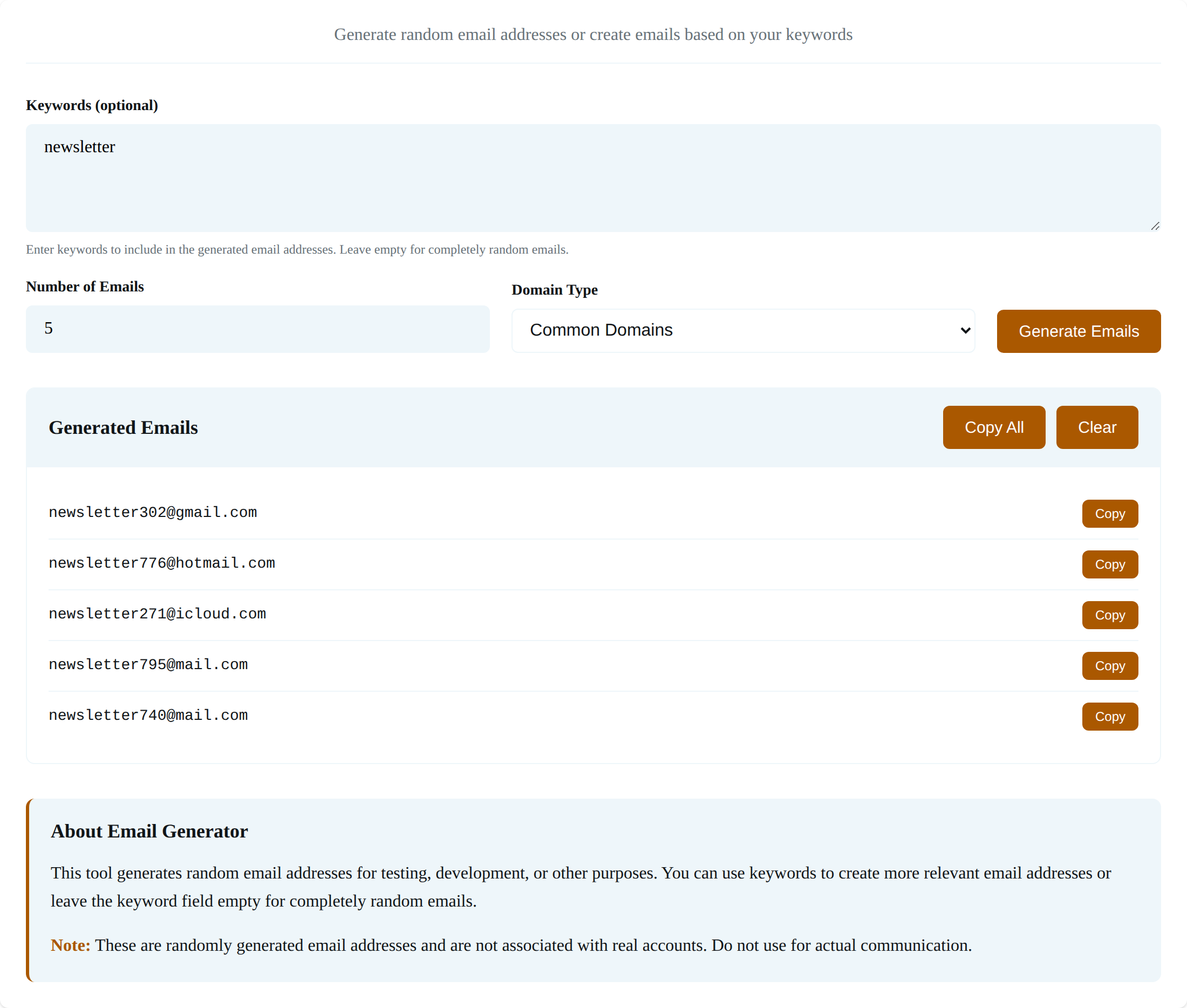
That capture came from a single press with the keyword newsletter and a count of five. The second capture shows the panel before any address exists.
Choosing the domain by the test you are running
The domain travels into other hands, so it deserves more thought than the local part. Pick it for the test you are running rather than for the look of the address.
| Domain you pick | Use it for | What it costs you |
|---|---|---|
| gmail.com, outlook.com, icloud.com | mockups and screenshots that should look ordinary | the address can belong to an account someone actually uses, and it reads as genuine in an audit |
| example.com, example.net, example.org | documentation, public seed files, anything you publish | nothing for test data, since these names are reserved for examples |
| .test or .invalid | fixtures that must never resolve to a live host | the address looks unusual in a screenshot |
| your own domain | staging flows where a message has to arrive | you have to run a mailbox or catch-all behind it |
I checked the reserved names in RFC 2606, which lists the example domains next to the .test, .invalid and .localhost top-level names. That is why a published example can print an address nobody owns.
A custom domain you do not control is the choice to avoid. A test address can still reach a stranger if anything downstream decides to send to it.
The odds a batch repeats an address
A repeat shows up late, so I ran the numbers for both modes until the batch size stopped being a guess. Keyword mode with a single keyword has a pool of a thousand addresses per domain, so a batch of 50 carries a 71% chance of a repeat.
def collision_chance(draws, pool):
    chance = 1.0
    for i in range(draws):
        chance *= (pool - i) / pool
    return 1 - chance


print("keyword mode, one keyword, 1000 numbers per domain")
for draws in (5, 50, 100, 500):
    print(f"  {draws:>3} addresses: {collision_chance(draws, 1000):.4%} chance of a repeat")

print("random mode, 10 adjectives x 10 nouns x 1000 numbers per domain")
for draws in (10, 100, 1000, 5000):
    print(f"  {draws:>4} addresses: {collision_chance(draws, 100_000):.4%} chance of a repeat")
Keyword scope and batch size start to trade against each other once the pool is that small, which is what a keyword buys you. Random mode draws from a hundred thousand per domain, which puts a batch of 100 at about 4.8%.
Add a counter to the local part when the test needs distinct values. Any batch from this tool is a sample rather than a guarantee of uniqueness.
Where a generated address stops working
These boundaries decide whether the tool fits the job, and each one fails in a way you can spot before it wastes a test run. The first one decides between this tool and a temporary inbox.
- Confirmation mail never arrives, because there is no inbox and no domain record that accepts it.
- Some signup forms reject known disposable domains or check the domain before accepting the address.
- An account created against a generated address cannot be recovered later, so do not build anything you need to keep.
- Math.random is not cryptographically secure, as MDN states, so the output is test data and never a secret.
A temporary inbox gives you an address that receives for a short window, which is what a signup test waiting on a confirmation code needs.
Generate the same data inside your test script
A fixture that seeds a database has to produce the same values on every run, which a browser tool cannot do. The same rule fits in a few lines of Python, and a reserved domain keeps the file safe to commit.
import random
import string


def test_address(local, domain):
    digits = "".join(random.choices(string.digits, k=3))
    return f"{local}{digits}@{domain}"


print([test_address("newsletter", "example.com") for _ in range(3)])
print(test_address("invoice", "staging.example.net"))
I ran the same fixture in Python with a reserved domain, and it prints three newsletter addresses on example.com plus one invoice address on a staging subdomain. Every one of those is safe to paste into a bug report.
import secrets

print(secrets.randbelow(1000))
print(secrets.choice(["example.com", "example.org", "example.net"]))
print(secrets.token_hex(4))
The browser tool stays the quicker route for a handful of addresses and a screenshot, so I keep both around. Reach for the script when a test suite has to reproduce the data, and swap random for secrets when the value has to be unguessable rather than merely unique.
Frequently asked questions about generated email addresses
Is a generated email address real?
It has the shape of an address and no mailbox behind it, so nothing can be delivered to it. The address becomes reachable only if you put your own domain after the at sign and run a mailbox there.
Can a generated address receive a verification code?
It cannot, because there is no inbox to receive the message. Use a temporary inbox or an address on your own domain when the test depends on a code arriving.
Will two people receive the same random address?
The values can repeat. In keyword mode the trailing number is drawn from a thousand possibilities, so a batch of 50 has a 71% chance of holding a duplicate. Random mode draws from a hundred thousand possibilities per domain, which is safer for larger batches.
Can I use a gmail.com address from the generator?
You can type one into a test, and the tool registers nothing, so the address stays a string. It may also belong to an account someone uses, which is why a reserved domain is the safer choice for anything you publish.
Why does a site block the address I generated?
Some forms reject known disposable domains or check whether the domain can receive mail at all. A reserved example domain fails that check by design, so keep it for fixtures and use a working address for the form itself.
Does the generator send my keywords anywhere?
The addresses are built by a script inside the page, and the keywords stay in the browser. Nothing is uploaded, which is also why a reload clears the list.

![Random ZIP Code Generator [Free Online]](https://www.askpython.com/wp-content/uploads/2026/09/zipcode-generator-featured-1-768x432.png)
![Domain Name Generator [Free Online]](https://www.askpython.com/wp-content/uploads/2026/09/domain-name-generator-free-online-featured-768x432.png)