🚀 Supercharge your YouTube channel's growth with AI.
Try YTGrowAI FreeHow to Check a Substring in Python

A text search can start by checking whether one string occurs within another. In Python, the in operator tests for that substring and returns True or False.
This article explains how to check membership and how find() and index() behave when searching for a match.
TL;DR
Use the in operator to test whether one string occurs inside another, and use find() when you also need its starting position.
- Write needle in text for a case-sensitive True or False result.
- Use text.find(needle) for the first position, or -1 when it is absent.
- Use text.index(needle) only when a missing match should raise ValueError.
What Is a Substring in Python?
A substring is a contiguous sequence of characters in a larger string.
Casefolding can map the German letter ß to ss, changing string length as well as case.
A single character is still a one-character string in Python. Check for punctuation or a specific letter with the same membership expression used for longer needles.
An empty needle is valid input, so decide whether to reject it before searching.
How to Check for a Substring Step by Step
I used one text value with a present match, a case mismatch, and an empty needle to compare each operation’s result.
Step 1: Test membership with in
Store the full sentence as text and the smaller search value as needle. Keeping the roles separate makes the operand order clear.
text = "Python strings are case-sensitive."
needle = "strings"
missing = "Strings"

print(needle in text)
print(text.find(needle))
print(text.find(missing))
try:
    text.index(missing)
except ValueError as error:
    print(type(error).__name__ + ": " + str(error))
print("" in text)
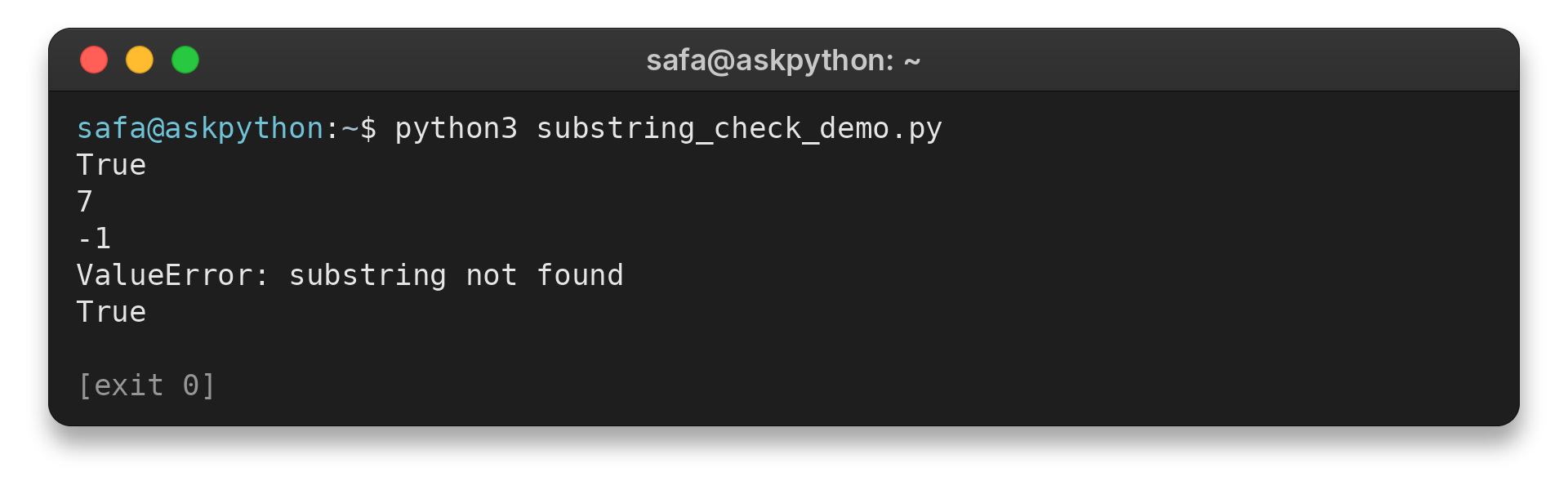
The results from python3 substring_check_demo.py appear below.
True
7
-1
ValueError: substring not found
True
Use needle not in text when the branch should run only for an absent substring.
Step 2: Use find() when the position matters
Use str.find() when later code needs a position: it returns the lowest matching index or -1 when absent. Avoid testing its result as a Boolean because index 0 is false.
The optional start and end arguments restrict the search like slice bounds, with the end excluded, while the returned index stays relative to the original string. Negative bounds count back from the string’s end. The result marks the match’s start, so use len(needle) to calculate the end or slice out the matched text.
Step 3: Select index() or operator.contains() for a specific need
Keep the try block close to index() when a missing match is expected. A narrower catch prevents a later, unrelated ValueError from being misread as a failed search.
operator.contains(text, needle) provides a callable form of the membership test when an API expects a function. Its container-first argument order differs from needle in text.
For overlapping matches, advance the next search start by one character after each match.
Common Substring Edge Cases and What to Do Next
When capitalization should not matter, apply casefold() to both strings before checking membership. Normalize separately when input sources may encode the same visible text differently. For example, NFC can compose equivalent character sequences, but normalization should follow your data policy because it changes the sequence being compared.
Use any(needle in text for needle in needles) to require one candidate and all(…) to require every candidate.
For a list of separate text values, test each value individually, such as any(needle in value for value in values). Testing needle in values checks whether it equals a list item, not whether it occurs inside one of those strings.
Decide what an empty candidate list should mean in your program before using either test.
If values come from optional fields, validate that each is a string before searching. None is not the same as an empty string, so define the missing-input behavior before calling a string method.
For byte data, decode with its source encoding first, since str and bytes are different types.
Use count() to total non-overlapping occurrences. Counting “ana” in “banana” reports one.
Use rfind() for the rightmost position and rindex() when a missing rightmost match should raise ValueError. Both locate the match from the end.
Do not strip leading or trailing spaces unless your input rules treat them as insignificant. A space can be part of a valid identifier or phrase, so trimming can change what the search means.
A needle may contain a line break too. Membership searches the string’s characters in order across the stored text, but it does not interpret file lines as separate records.
Keep the source text if later output must preserve its capitalization, accents, or spelling. Store the transformed value separately when later checks need that form.
Regular expressions describe rules such as alternatives or digits followed by letters. Use re.escape(needle) when literal input is embedded in a regex, because punctuation can have special meaning there. A successful re.search() returns a match object, while no match returns None.
For text whose words are separated by whitespace, split() can help test an entire token rather than any character sequence. Punctuation stays attached to a token, so “cat,” will not equal “cat” without an explicit cleanup rule. Called without a separator, split() groups whitespace and drops empty fields at the ends.
Use startswith() and endswith() when the required match must touch a specific end of the string. They return a Boolean for that boundary test instead of a position for a general search.
| Case | What Python returns | What to do |
|---|---|---|
| Substring absent | in gives False, find() gives -1, index() raises ValueError | Use in for a branch or handle the index() exception |
| Different letter case | The exact-case search does not match | Apply the same case-normalization policy to both values |
| Empty needle | Membership returns True | Reject an empty search value first if it should not count |
| Match at the boundary | startswith() and endswith() test fixed positions | Use them instead of a general substring search |
For related examples, see AskPython’s guides to the in and not in operators and the Python string find() method.
Conclusion
Choose a string operation by the value the next part of your program needs. The Python documentation for string methods and the membership test operation describes the built-in behavior. AskPython’s string contains guide covers the special method behind membership.
FAQ
These answers address common choices when searching Python text.
Does Python have a string contains() method?
Python strings do not have a public contains() method. Use needle in text for a Boolean substring test.
How do I check a substring without matching letter case?
Apply str.casefold() to both strings, then use in, for example needle.casefold() in text.casefold().
What does find() return when the substring is missing?
str.find() returns -1 when it cannot find the substring. str.index() raises ValueError instead.