🚀 Supercharge your YouTube channel's growth with AI.
Try YTGrowAI FreeString startswith in Python: How It Works

Checking whether a Python string begins with particular text can help you decide how to handle it. The startswith() method returns a Boolean that tells you whether a string begins with a specified prefix.
This article shows how to check one prefix or several alternatives, then how to limit the check to part of a string.
TL;DR: Check a Python String Prefix
Call str.startswith(prefix) to get True when a string begins with the given text, and False when it does not.
- Pass a tuple to test several allowed prefixes in one call.
- Use start and end to restrict the comparison to a portion of the string.
- The comparison is case-sensitive, and a list is not a valid group of prefixes.
What Is str.startswith()?
str.startswith() is a Python string method that returns a Boolean after checking whether text begins with a prefix, the first character or sequence of characters, such as “ERR” in “ERROR: disk full.” That result can go directly in an if condition.
The prefix argument accepts one string or a tuple of strings. Optional start and end arguments set the range where comparison occurs.
The end position is exclusive. Matching respects letter case, so “error” does not match “ERROR.”
Negative positions count from the end of the string, as they do in slices. For fixed-width records, nonnegative offsets are often clearer because they correspond directly to character positions. For uppercase conversion, see AskPython’s Python str.upper() method.
| Argument | Meaning | Example |
|---|---|---|
| prefix | String or tuple of strings to check | “ERR” or (“WARN”, “ERR”) |
| start | Index where comparison begins, default 0 | startswith(“ERR”, 11) |
| end | Exclusive position where comparison stops | startswith(“ERR”, 11, 14) |
Choose the tuple form when the same decision accepts several prefixes. Use the position arguments when a record has a known field boundary, rather than building a temporary substring just to check its beginning.
How to Use startswith() Step by Step
A prefix check compares the start of a string, or a selected range, with one or more exact strings. The following examples use a status line to show each argument in context.
Step 1: Check one prefix
Pass the expected beginning as the first argument. The result can be assigned to a variable or used directly in a condition. This check is useful when a program treats lines with a particular label differently.
Step 2: Check several alternatives
Wrap candidate prefixes in a tuple, including the parentheses. Python returns True when any member matches. This avoids repeating the same string variable in a chain of separate comparisons.
Step 3: Start the check inside the string
Supply start as the second argument and end as the third. Here, “disk” begins at index 7 in the sample line. The end value 11 stops just after that word, and the printed result confirms the bounded test.
text = "ERROR: disk full"
print(text.startswith("ERROR"))
print(text.startswith(("INFO", "ERROR")))
print(text.startswith("disk", 7, 11))
print(text.startswith("error"))
print("test".startswith("", 4))
print("test".startswith("", 5))
Run it as python3 startswith_demo.py. The output from this example is:
True
True
True
False
True
False
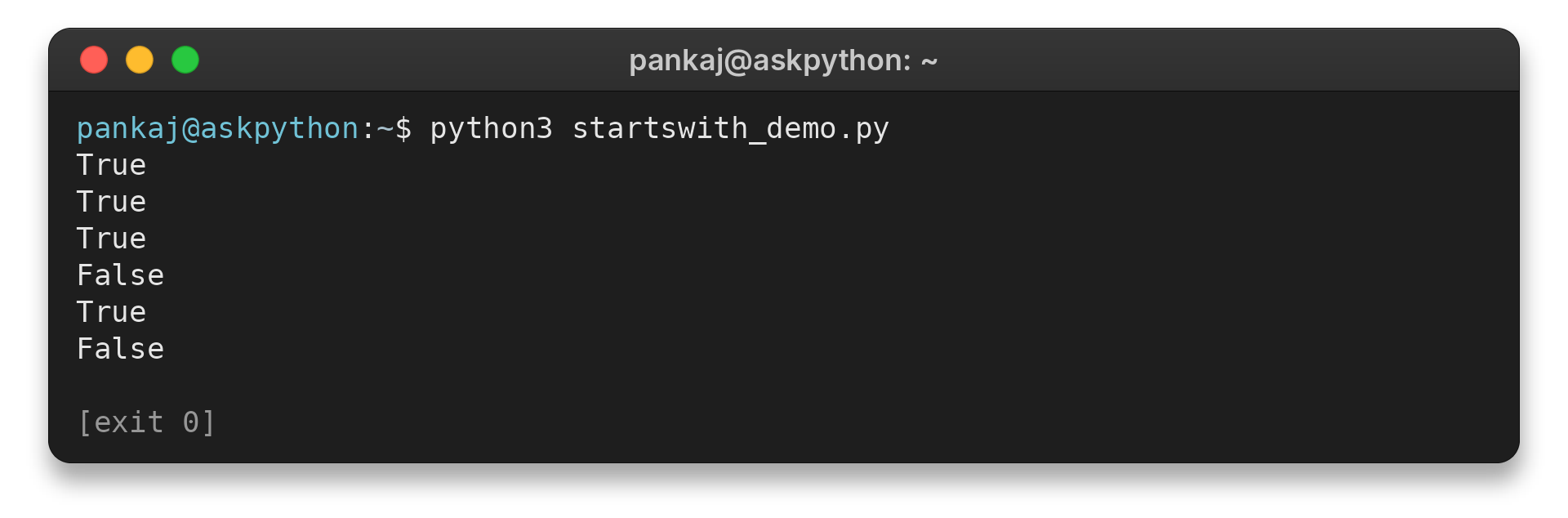
I ran python3 startswith_demo.py and got the six Boolean results above. The third True confirms the bounded range check, while the fourth False shows that lowercase “error” does not match uppercase “ERROR.”
Edge Cases and Fixes
Use a tuple rather than a list for alternative prefixes, and handle empty input deliberately when an empty prefix should not count as a valid match. These choices prevent surprising results in validation code.
A list raises TypeError
A list of candidates may seem like a natural argument when prefixes come from configuration, but startswith() accepts a string or tuple. I passed a list in a probe and received this exact message:
text.startswith(["INFO", "ERROR"])
Run python3 startswith_list_error.py to see the error:
TypeError: startswith first arg must be str or a tuple of str, not list
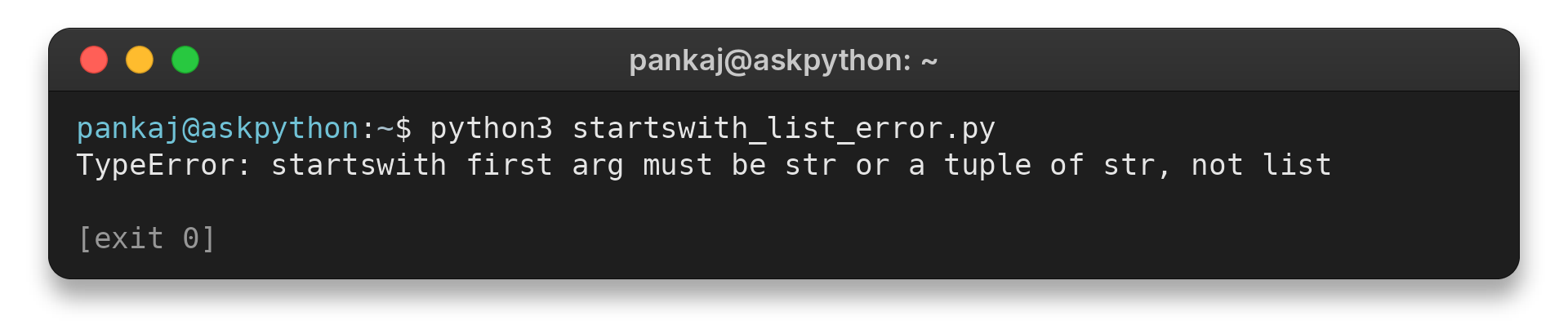
Convert the collection with tuple(prefixes) before calling the method. That preserves the candidate values while supplying the argument type the method accepts.
Empty prefixes and out-of-range positions
An empty string is a prefix at a valid position, including the position just after the last character. In the executed check, “test” has length 4: start=4 returned True, while start=5 returned False. That distinction matters if a prefix comes from optional user input, since an empty value can otherwise pass a check without validating any text.
| Case | Result or symptom | Fix or decision |
|---|---|---|
| Prefix case differs | False | Normalize case first only if the rule should ignore case |
| Prefix collection is a list | TypeError | Convert it to a tuple |
| Prefix is empty | True at a valid position | Reject empty input when a nonempty prefix is required |
For text-to-number workflows, AskPython also explains converting a numeric string to an integer. startswith() checks the beginning only. It does not parse the rest of a value.
Conclusion
str.startswith() gives a direct Boolean answer for one prefix, multiple tuple alternatives or a selected range. Keep case sensitivity and empty prefixes in mind when the result controls validation.
For exact details on the method’s accepted arguments, consult the Python standard types documentation. Its related method endswith() checks the other side of a string, while removeprefix() removes matching text.
FAQ
These quick answers cover two common follow-up choices.
Does startswith() return a string or a Boolean?
It returns a Boolean: True when the string starts with an accepted prefix, otherwise False.
Can startswith() check more than one prefix?
Yes. Pass a tuple of strings, and it returns True if any tuple member matches.
Is startswith() case-sensitive?
Yes. Uppercase and lowercase letters must match as written unless you normalize the text first.